Results
Results: metrics and local save
Check the correct count, accuracy, longest streak, best score, and truthful device-save state.
Before you start
- Finish a round.
Steps
Review the metrics
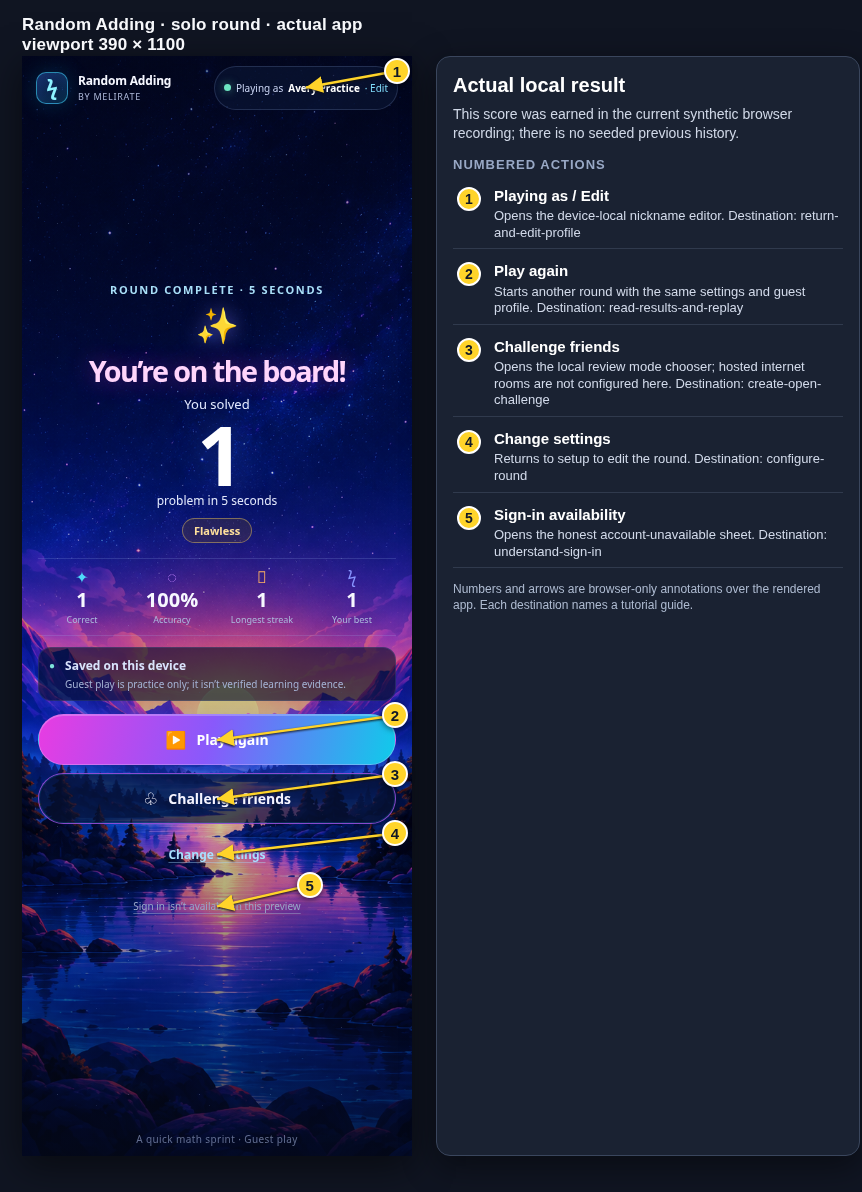
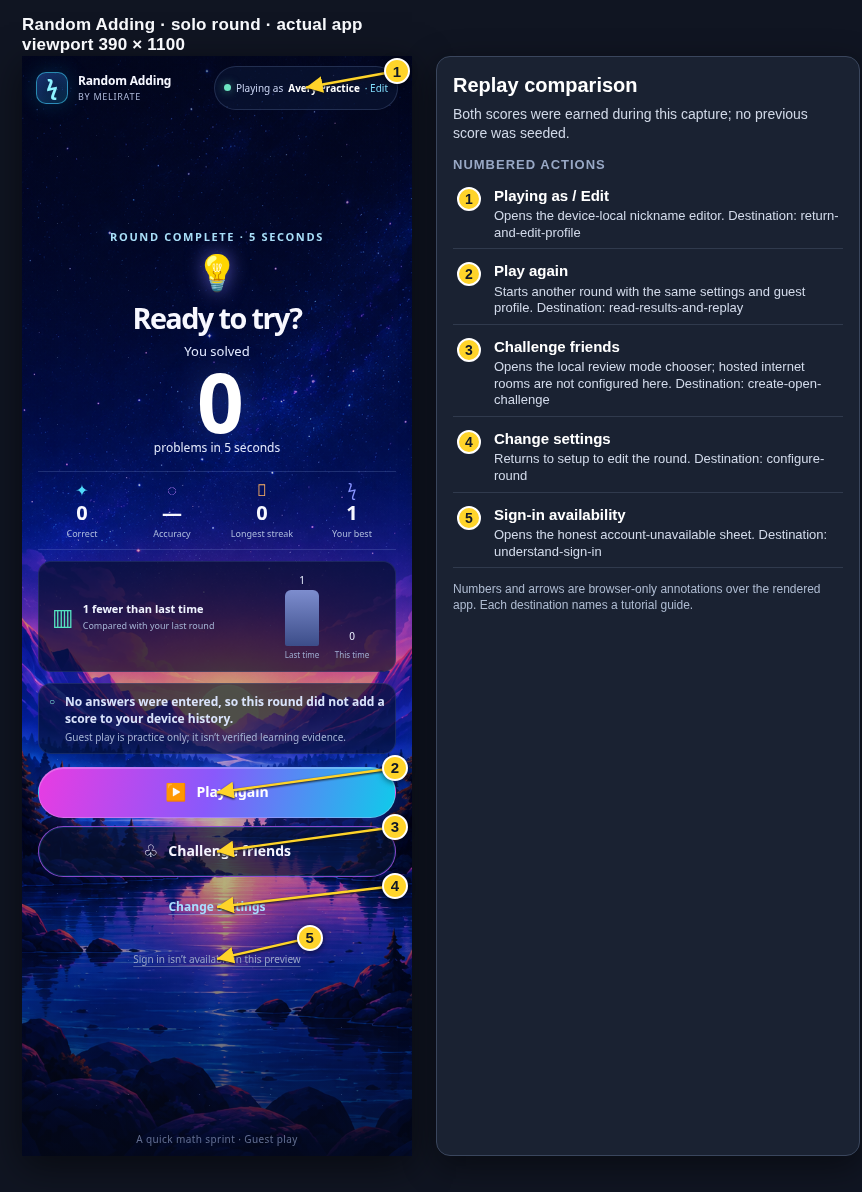
The result reports correct problems, accuracy, longest streak, and best for this setup. Empty rounds show no accuracy and add no score.
Open the Results: metrics and local save guideRead the save state
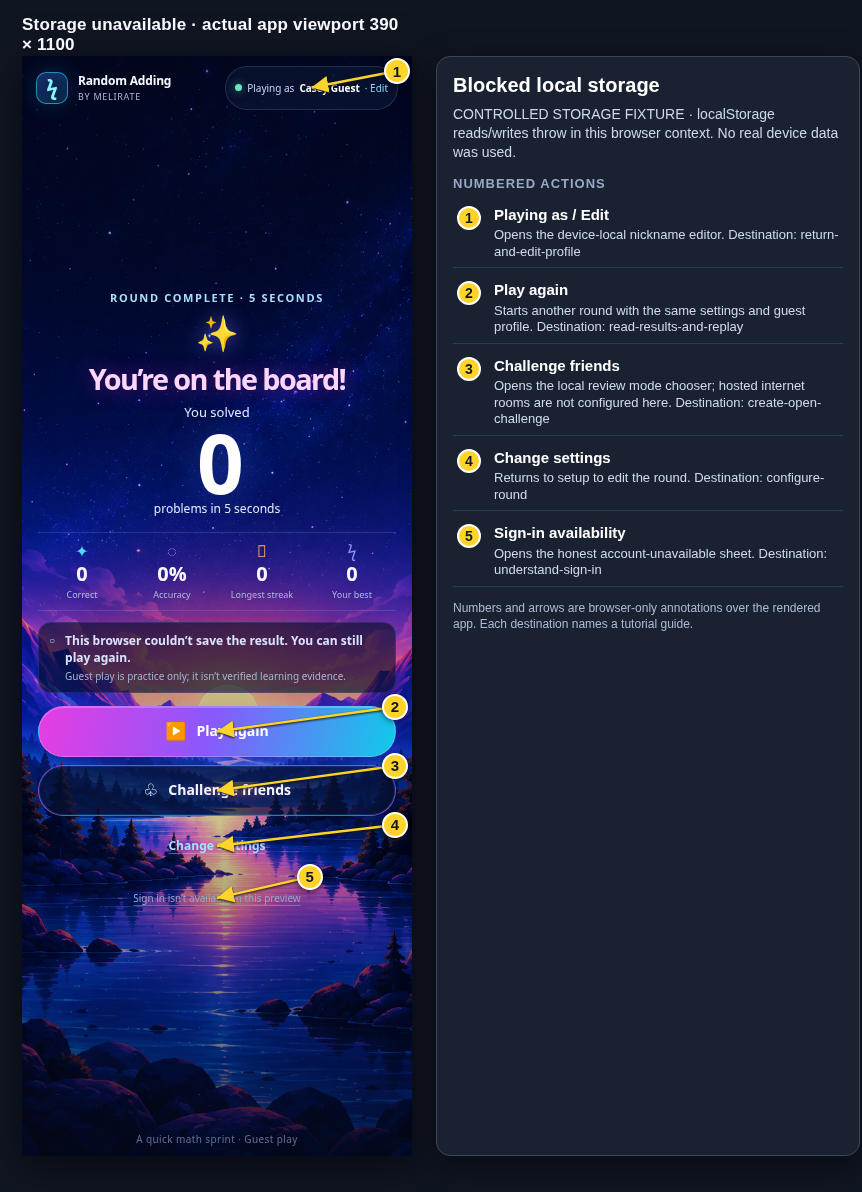
Saved on this device appears only when the local result was saved. If browser storage failed, the screen tells you the result could not be saved.
Open the Results: metrics and local save guide
What to expect
- Guest practice is labeled as not verified learning evidence.
Other paths
Protect guest data
Review the storage and evidence boundary.
Open guide: Understand guest data and practice scoresRecover a failed save
See what you can do after a local or room save problem.
Open guide: Recover an offline or unsaved result
Visual guide
Annotated screens
Each numbered note names the control or state marked on the screen.
 View full-size original annotated screen (new tab)
What the numbered markers show
- 1Playing as / EditOpens the device-local nickname editor.Open guide: Return and edit your guest nickname
- 2Play againStarts another round with the same settings and guest profile.Open guide: Read your results and replay
- 3Challenge friendsOpens the local review mode chooser; hosted internet rooms are not configured here.Open guide: Create an Open Challenge
- 4Change settingsReturns to setup to edit the round.Open guide: Choose round settings
- 5Sign-in availabilityOpens the honest account-unavailable sheet.Open guide: Sign in and choose a learner
 View full-size original annotated screen (new tab)
What the numbered markers show
- 1Playing as / EditOpens the device-local nickname editor.Open guide: Return and edit your guest nickname
- 2Play againStarts another round with the same settings and guest profile.Open guide: Read your results and replay
- 3Challenge friendsOpens the local review mode chooser; hosted internet rooms are not configured here.Open guide: Create an Open Challenge
- 4Change settingsReturns to setup to edit the round.Open guide: Choose round settings
- 5Sign-in availabilityOpens the honest account-unavailable sheet.Open guide: Sign in and choose a learner
 View full-size original annotated screen (new tab)
What the numbered markers show
- 1Playing as / EditOpens the device-local nickname editor.Open guide: Return and edit your guest nickname
- 2Play againStarts another round with the same settings and guest profile.Open guide: Read your results and replay
- 3Challenge friendsOpens the local review mode chooser; hosted internet rooms are not configured here.Open guide: Create an Open Challenge
- 4Change settingsReturns to setup to edit the round.Open guide: Choose round settings
- 5Sign-in availabilityOpens the honest account-unavailable sheet.Open guide: Sign in and choose a learner