Results
Results: next actions
Choose Play again, Challenge friends, or Change settings from the result screen.
Before you start
- Finish a solo round.
Steps
Replay the current setup
Play again starts a new timed sequence using the same settings.
Open the Results: next actions guideChange the setup
Choose Change settings to return to the setup screen. Your best is tracked separately if the configuration changes.
Open the Results: next actions guideOpen group play
Challenge friends opens room choices after the first-use nickname action if needed.
Open the Results: next actions guide
What to expect
- The primary next action is Play again.
Other paths
Create or join a room
Review Open Challenge and Live Race paths.
Open guide: Create an Open ChallengeRead results
Understand all metrics and labels.
Open guide: Read your results and replay
Visual guide
Annotated screens
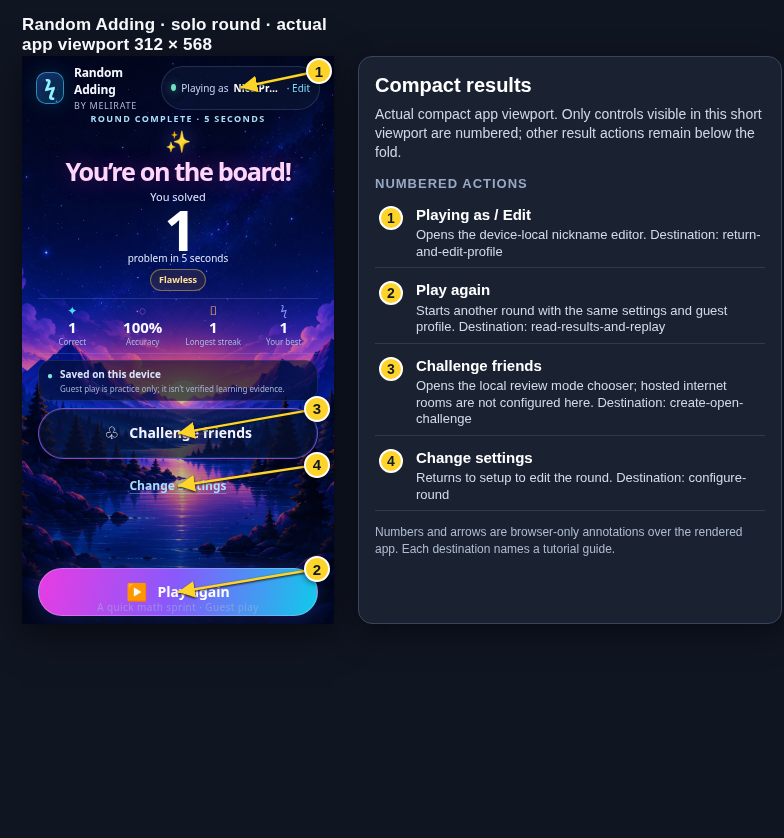
Each numbered note names the control or state marked on the screen.
 View full-size original annotated screen (new tab)
What the numbered markers show
- 1Playing as / EditOpens the device-local nickname editor.Open guide: Return and edit your guest nickname
- 2Play againStarts another round with the same settings and guest profile.Open guide: Read your results and replay
- 3Challenge friendsOpens the local review mode chooser; hosted internet rooms are not configured here.Open guide: Create an Open Challenge
- 4Change settingsReturns to setup to edit the round.Open guide: Choose round settings
 View full-size original annotated screen (new tab)
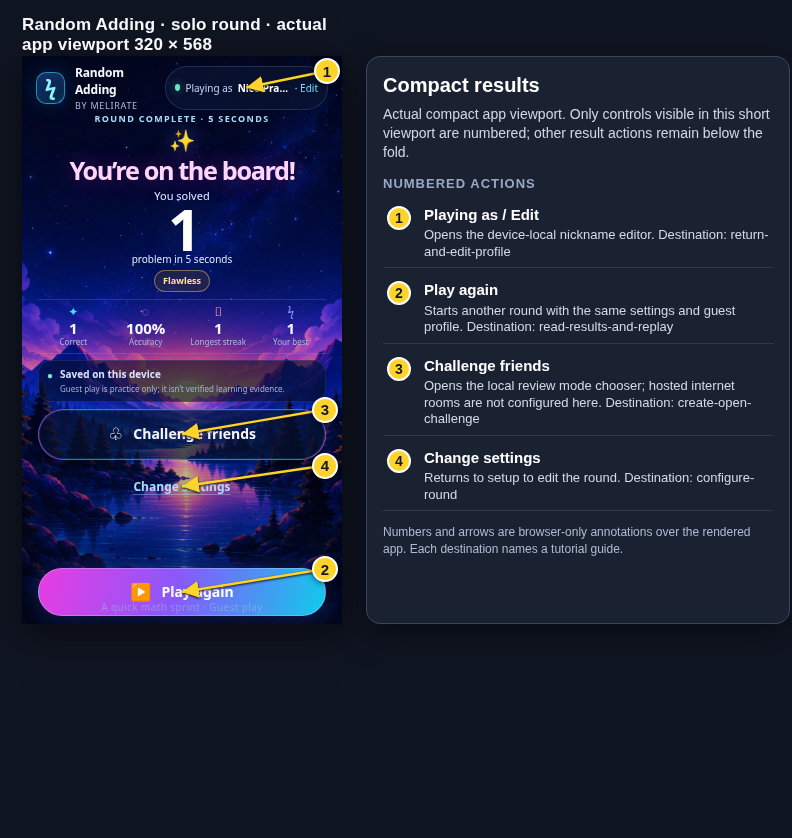
What the numbered markers show
- 1Playing as / EditOpens the device-local nickname editor.Open guide: Return and edit your guest nickname
- 2Play againStarts another round with the same settings and guest profile.Open guide: Read your results and replay
- 3Challenge friendsOpens the local review mode chooser; hosted internet rooms are not configured here.Open guide: Create an Open Challenge
- 4Change settingsReturns to setup to edit the round.Open guide: Choose round settings