Live Race
Live Race: host rematch
After final standings, the host can start a fresh-seed race in the same room.
Before you start
- Be the host of a finished Live Race that returned to the lobby.
Steps
Review final standings
Wait for the race to be finalized before starting another race.
Open the Live Race: host rematch guideChoose Race again
The host can start a new race with a fresh question seed and the participant set retained; readiness resets for the new race.
Open the Live Race: host rematch guide
What to expect
- A repeated start does not create duplicate races.
- An ended/cancelled race cannot be restarted.
Other paths
Read rematch roles
Compare the host and non-host actions.
Open guide: Read group results and rematchEnd or moderate a room
See what happens when the host explicitly ends the room.
Open guide: Moderate or end a room
Visual guide
Annotated screens
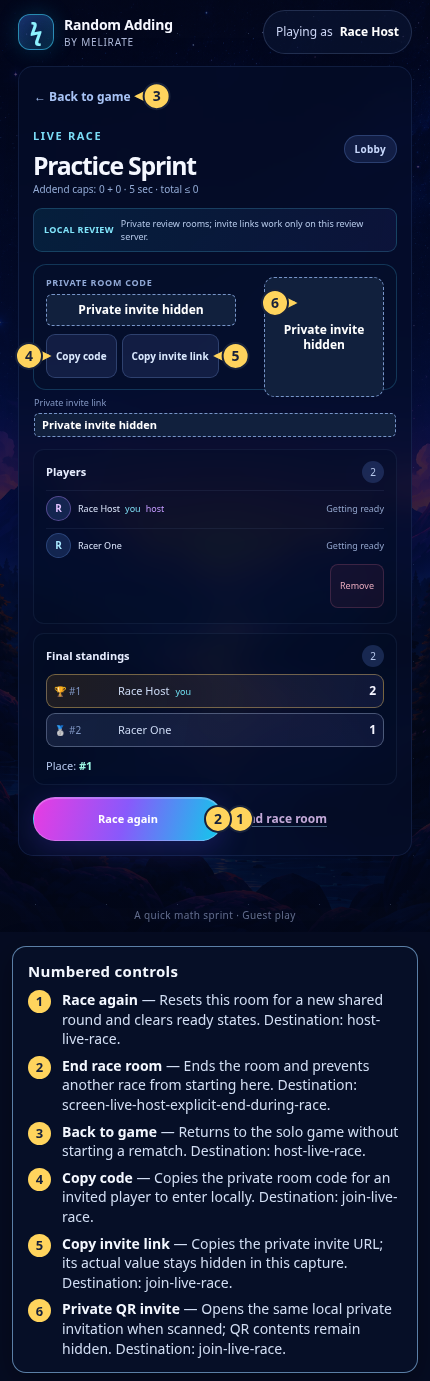
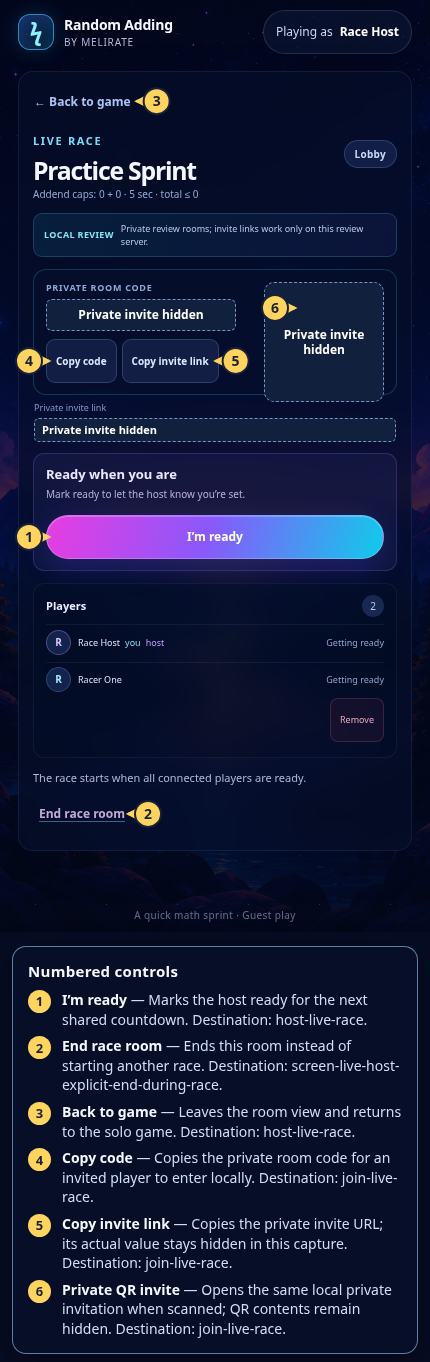
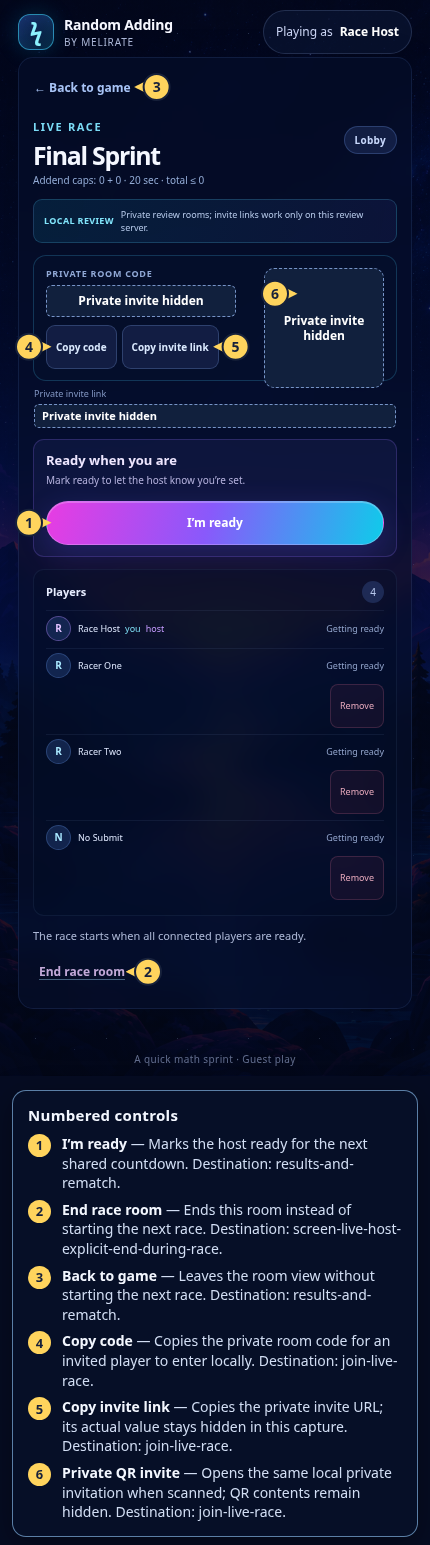
Each numbered note names the control or state marked on the screen.
 View full-size original annotated screen (new tab)
What the numbered markers show
- 1Race againResets this room for a new shared round and clears ready states.Open guide: Host a Live Race
- 2End race roomEnds the room and prevents another race from starting here.Open guide: Live Race: host ends a race
- 3Back to gameReturns to the solo game without starting a rematch.Open guide: Host a Live Race
- 4Copy codeCopies the private room code for an invited player to enter locally.Open guide: Join a Live Race
- 5Copy invite linkCopies the private invite URL; its actual value stays hidden in this capture.Open guide: Join a Live Race
- 6Private QR inviteOpens the same local private invitation when scanned; QR contents remain hidden.Open guide: Join a Live Race
 View full-size original annotated screen (new tab)
What the numbered markers show
- 1I’m readyMarks the host ready for the next shared countdown.Open guide: Host a Live Race
- 2End race roomEnds this room instead of starting another race.Open guide: Live Race: host ends a race
- 3Back to gameLeaves the room view and returns to the solo game.Open guide: Host a Live Race
- 4Copy codeCopies the private room code for an invited player to enter locally.Open guide: Join a Live Race
- 5Copy invite linkCopies the private invite URL; its actual value stays hidden in this capture.Open guide: Join a Live Race
- 6Private QR inviteOpens the same local private invitation when scanned; QR contents remain hidden.Open guide: Join a Live Race
 View full-size original annotated screen (new tab)
What the numbered markers show
- 1I’m readyMarks the host ready for the next shared countdown.Open guide: Read group results and rematch
- 2End race roomEnds this room instead of starting the next race.Open guide: Live Race: host ends a race
- 3Back to gameLeaves the room view without starting the next race.Open guide: Read group results and rematch
- 4Copy codeCopies the private room code for an invited player to enter locally.Open guide: Join a Live Race
- 5Copy invite linkCopies the private invite URL; its actual value stays hidden in this capture.Open guide: Join a Live Race
- 6Private QR inviteOpens the same local private invitation when scanned; QR contents remain hidden.Open guide: Join a Live Race