Live Race
Live Race: host ends a race
An explicit host command cancels an active race and leaves a clear ended-early state.
Before you start
- Be the host of an active Live Race.
Steps
Choose End race room
The host can use the explicit end action in the room screen.
Open the Live Race: host ends a race guideRead the cancelled state
Already accepted results remain listed. Unfinished rounds do not receive a placement; this is distinct from the host losing network connection.
Open the Live Race: host ends a race guide
What to expect
- A cancelled race cannot be restarted as a rematch; create a new room for another race.
Other paths
Review all host controls
See removal and end-room actions.
Open guide: Moderate or end a roomRecover a room error
Understand interruption and unavailable states.
Open guide: Recover an unavailable, expired, or interrupted room
Visual guide
Annotated screens
Each numbered note names the control or state marked on the screen.
 View full-size original annotated screen (new tab)
What the numbered markers show
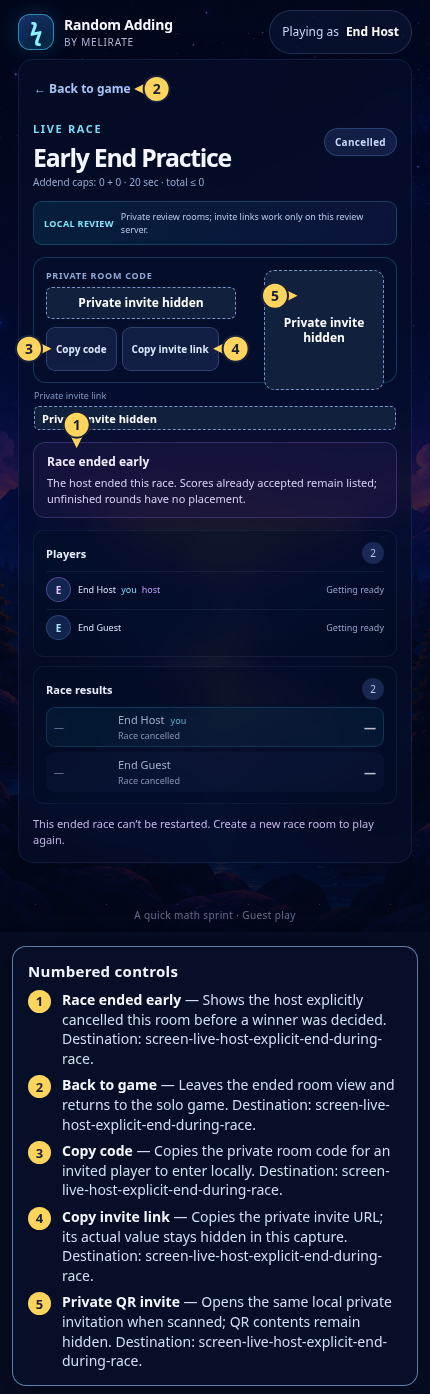
- 1Race ended earlyShows the host explicitly cancelled this room before a winner was decided.Open guide: Live Race: host ends a race
- 2Back to gameLeaves the ended room view and returns to the solo game.Open guide: Live Race: host ends a race
- 3Copy codeCopies the private room code for an invited player to enter locally.Open guide: Live Race: host ends a race
- 4Copy invite linkCopies the private invite URL; its actual value stays hidden in this capture.Open guide: Live Race: host ends a race
- 5Private QR inviteOpens the same local private invitation when scanned; QR contents remain hidden.Open guide: Live Race: host ends a race
 View full-size original annotated screen (new tab)
What the numbered markers show
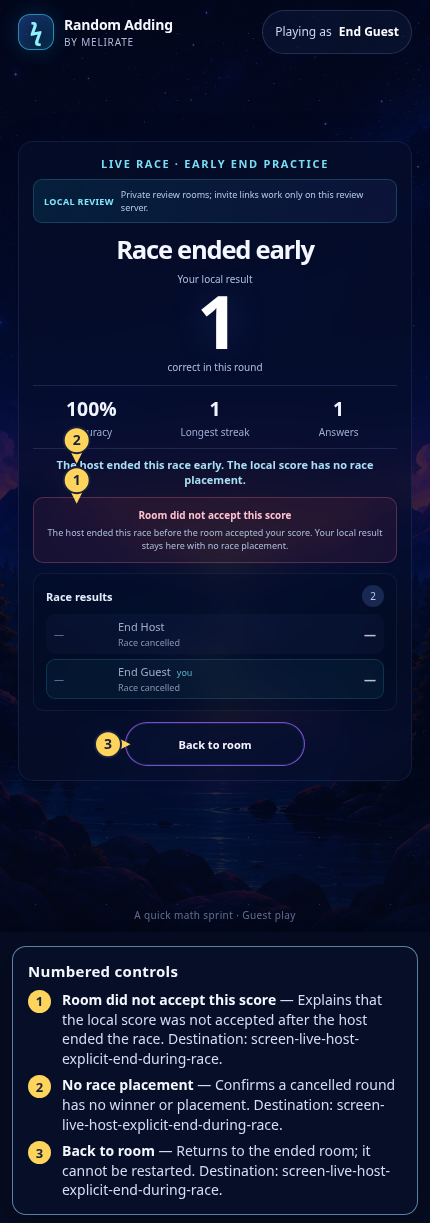
- 1Room did not accept this scoreExplains that the local score was not accepted after the host ended the race.Open guide: Live Race: host ends a race
- 2No race placementConfirms a cancelled round has no winner or placement.Open guide: Live Race: host ends a race
- 3Back to roomReturns to the ended room; it cannot be restarted.Open guide: Live Race: host ends a race