Guest profile
Guest profile: first nickname
On the first Play or Challenge action, enter a nickname to continue as a guest.
Before you start
- Use a browser profile without a saved guest nickname.
Steps
Enter a nickname
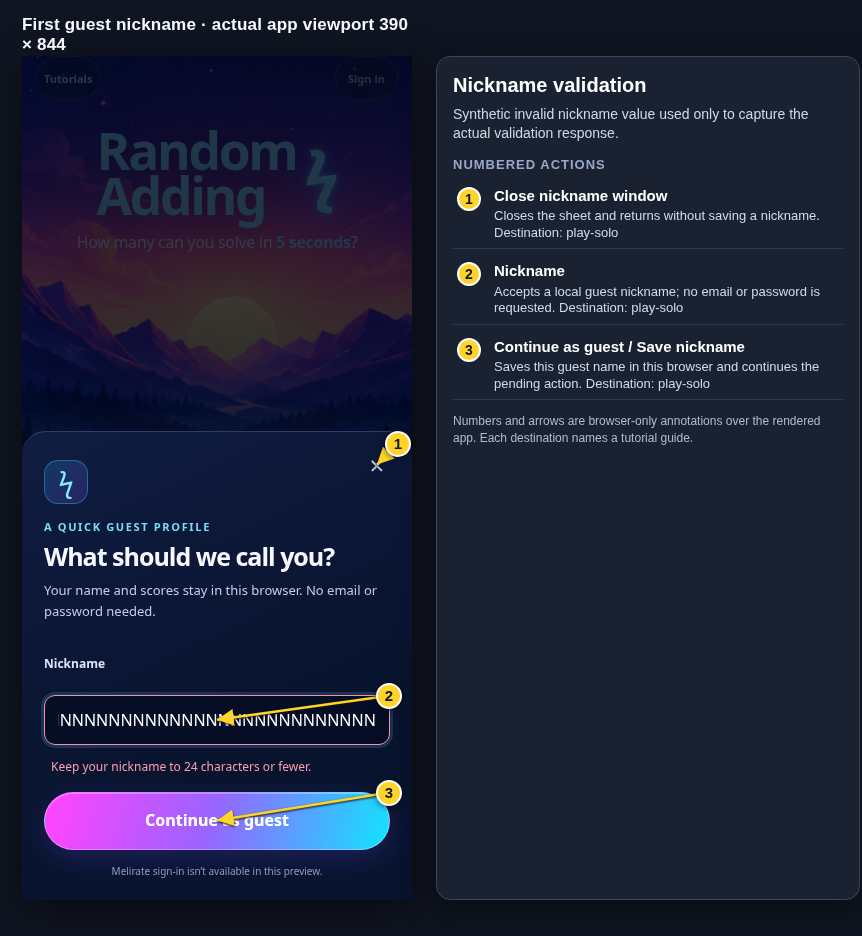
Use 1–24 letters or numbers with the accepted spaces and punctuation. Do not use a password or email; neither is requested.
Open the Guest profile: first nickname guideContinue as guest
Choose Continue as guest to save the local guest identity and continue the action you selected. Invalid text is explained inline.
Open the Guest profile: first nickname guideCancel if you do not want to continue
Close the sheet or press Escape to return. No round or room starts until you continue.
Open the Guest profile: first nickname guide
What to expect
- The guest name is stored per browser/device profile when storage is available.
Other paths
Play solo
Continue into a timed round.
Open guide: Play a solo roundCreate or join a challenge
Continue into local room choices.
Open guide: Create an Open Challenge
Visual guide
Annotated screens
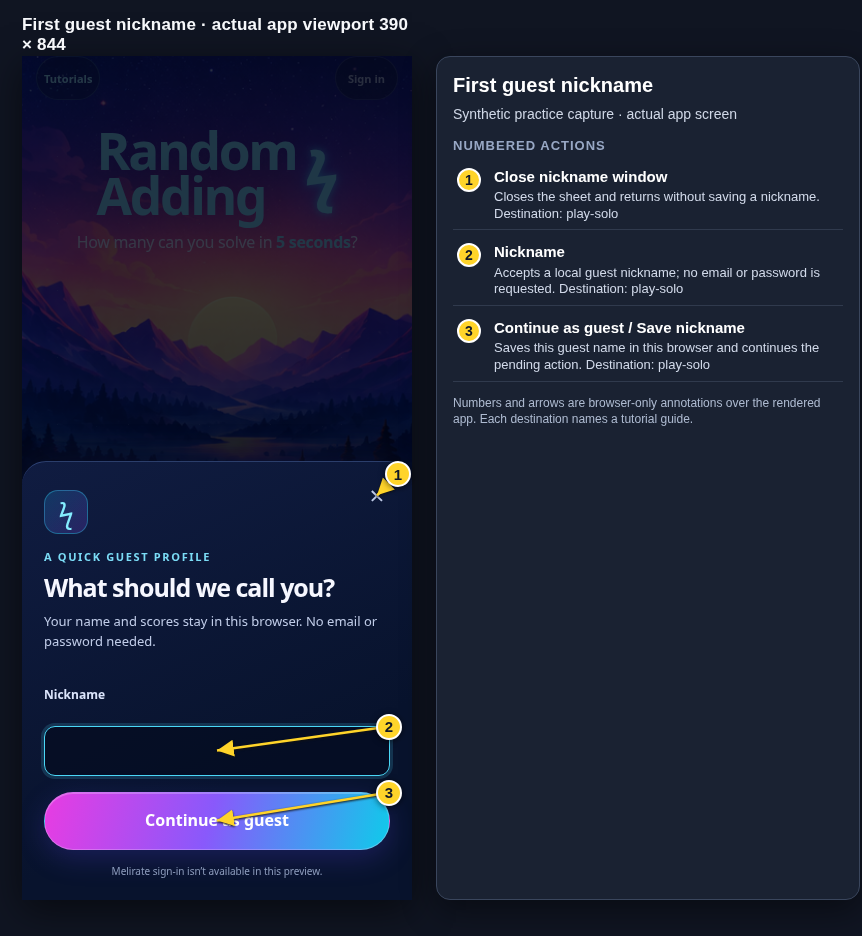
Each numbered note names the control or state marked on the screen.
 View full-size original annotated screen (new tab)
What the numbered markers show
- 1Close nickname windowCloses the sheet and returns without saving a nickname.Open guide: Play a solo round
- 2NicknameAccepts a local guest nickname; no email or password is requested.Open guide: Play a solo round
- 3Continue as guest / Save nicknameSaves this guest name in this browser and continues the pending action.Open guide: Play a solo round
 View full-size original annotated screen (new tab)
What the numbered markers show
- 1Close nickname windowCloses the sheet and returns without saving a nickname.Open guide: Play a solo round
- 2NicknameAccepts a local guest nickname; no email or password is requested.Open guide: Play a solo round
- 3Continue as guest / Save nicknameSaves this guest name in this browser and continues the pending action.Open guide: Play a solo round
 View full-size original annotated screen (new tab)
What the numbered markers show
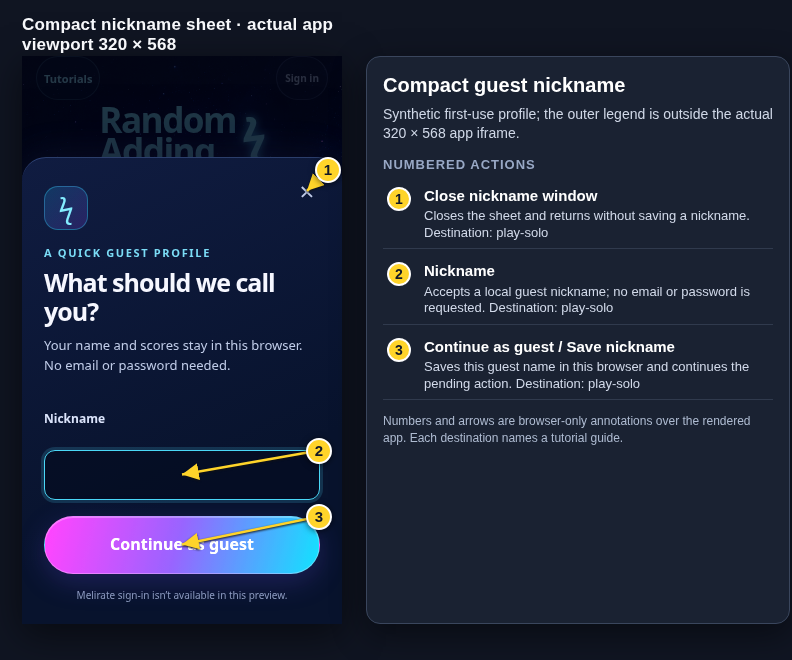
- 1Close nickname windowCloses the sheet and returns without saving a nickname.Open guide: Play a solo round
- 2NicknameAccepts a local guest nickname; no email or password is requested.Open guide: Play a solo round
- 3Continue as guest / Save nicknameSaves this guest name in this browser and continues the pending action.Open guide: Play a solo round