Group play
Group room: local projection view
Review the local Open Challenge code, QR, roster, and current best scores; external devices cannot join this loopback-only preview.
Before you start
- Create a local-review Open Challenge room on this machine.
Steps
Display the room code and QR
The room screen renders both controls. Generated loopback links are not reachable from participant phones or other computers.
Open the Group room: local projection view guideReview participants and standings
Browser sessions on this same machine can exercise the local view; a classroom service is not configured.
Open the Group room: local projection view guide
What to expect
- This is a local room view only; there is no student roster, gradebook, or reporting dashboard.
Other paths
Review the local projection flow
See the scope of the code and QR walkthrough.
Open guide: Review the projected-room flow locallyCreate a local room
Start an Open Challenge on this machine.
Open guide: Create an Open Challenge
Visual guide
Annotated screens
Each numbered note names the control or state marked on the screen.
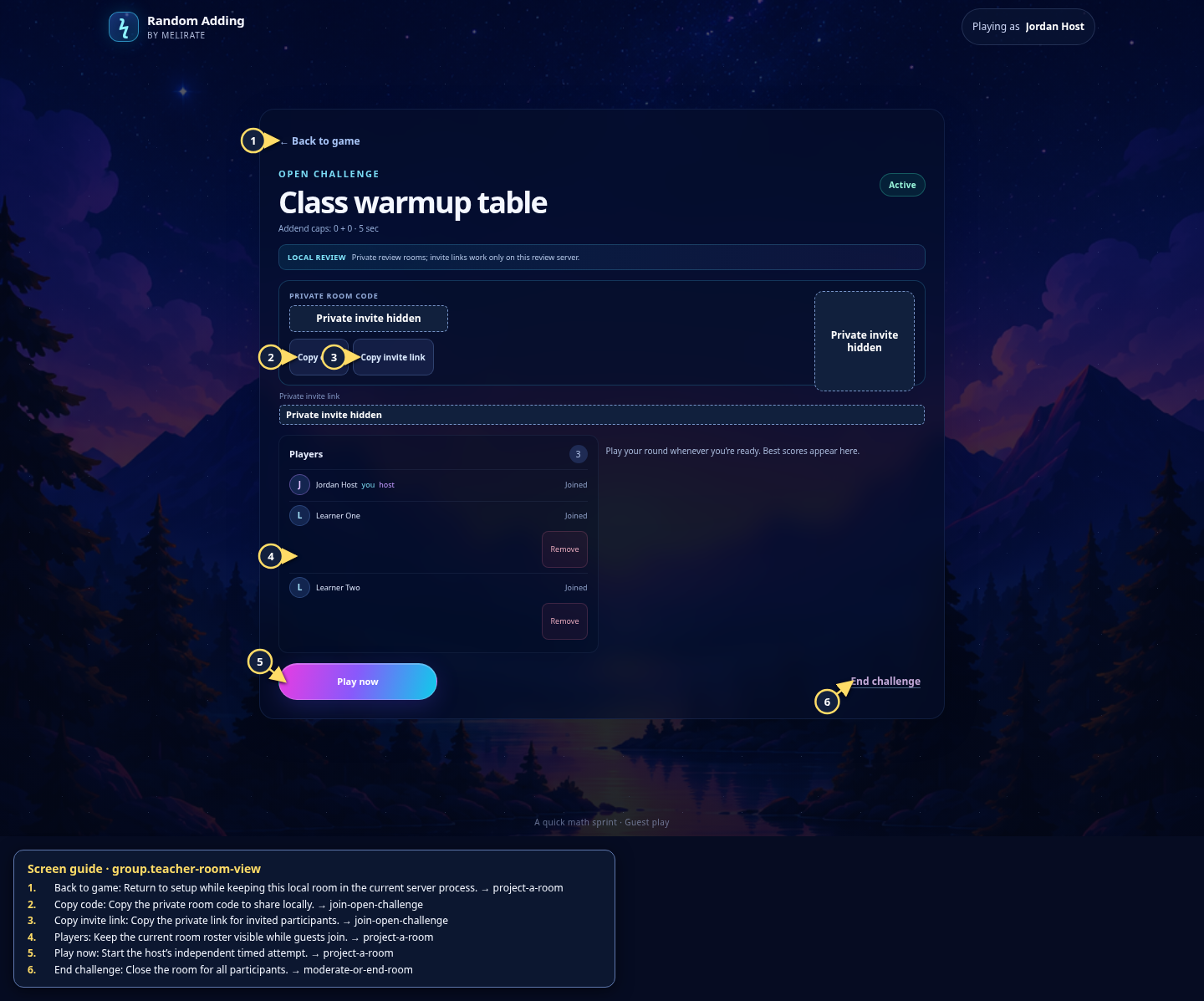 View full-size original annotated screen (new tab)
What the numbered markers show
- 1Back to gameReturn to setup while keeping this local room in the current server process.Open guide: Review the projected-room flow locally
- 2Copy codeCopy the private room code to share locally.Open guide: Join an Open Challenge
- 3Copy invite linkCopy the private link for invited participants.Open guide: Join an Open Challenge
- 4PlayersKeep the current room roster visible while guests join.Open guide: Review the projected-room flow locally
- 5Play nowStart the host’s independent timed attempt.Open guide: Review the projected-room flow locally
- 6End challengeClose the room for all participants.Open guide: Moderate or end a room
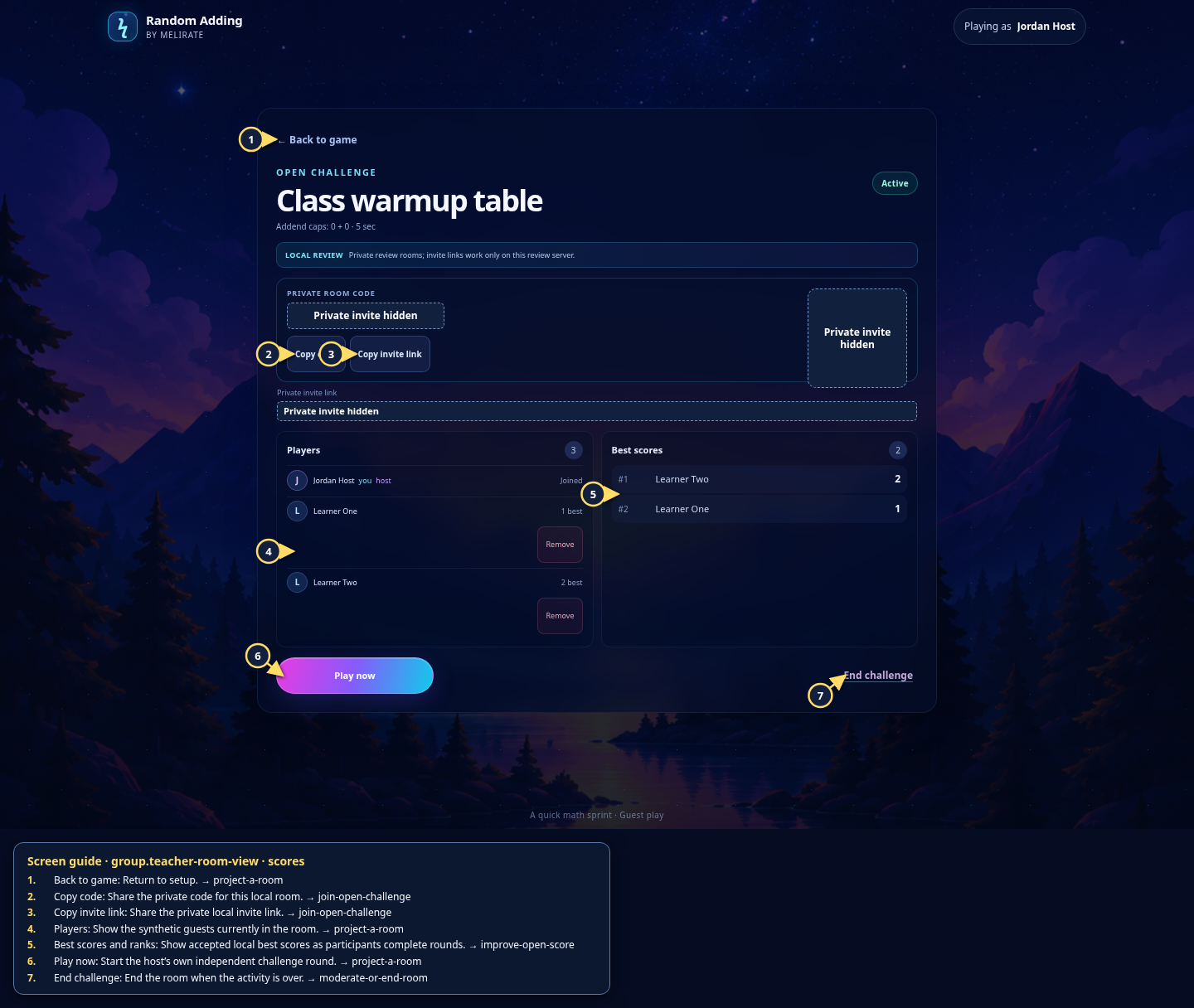 View full-size original annotated screen (new tab)
What the numbered markers show
- 1Back to gameReturn to setup.Open guide: Review the projected-room flow locally
- 2Copy codeShare the private code for this local room.Open guide: Join an Open Challenge
- 3Copy invite linkShare the private local invite link.Open guide: Join an Open Challenge
- 4PlayersShow the synthetic guests currently in the room.Open guide: Review the projected-room flow locally
- 5Best scores and ranksShow accepted local best scores as participants complete rounds.Open guide: Play again and improve an Open Challenge score
- 6Play nowStart the host’s own independent challenge round.Open guide: Review the projected-room flow locally
- 7End challengeEnd the room when the activity is over.Open guide: Moderate or end a room