Recovery
Group play: loading or unavailable
If the room service cannot be reached, use the recovery path and keep solo play available.
Before you start
- Open Challenge friends or load a room while the local review service is unavailable.
Steps
Wait for the room check
The room flow checks multiplayer availability before showing room choices.
Open the Group play: loading or unavailable guideRead the unavailable message
If rooms are unavailable, use Back to solo play. No room was created by an unavailable check.
Open the Group play: loading or unavailable guide
What to expect
- Solo play does not depend on the multiplayer service.
Other paths
Recover a room error
Check code, expiry, local service state, and fallback.
Open guide: Recover an unavailable, expired, or interrupted roomPlay solo
Continue without rooms.
Open guide: Play a solo round
Visual guide
Annotated screens
Each numbered note names the control or state marked on the screen.
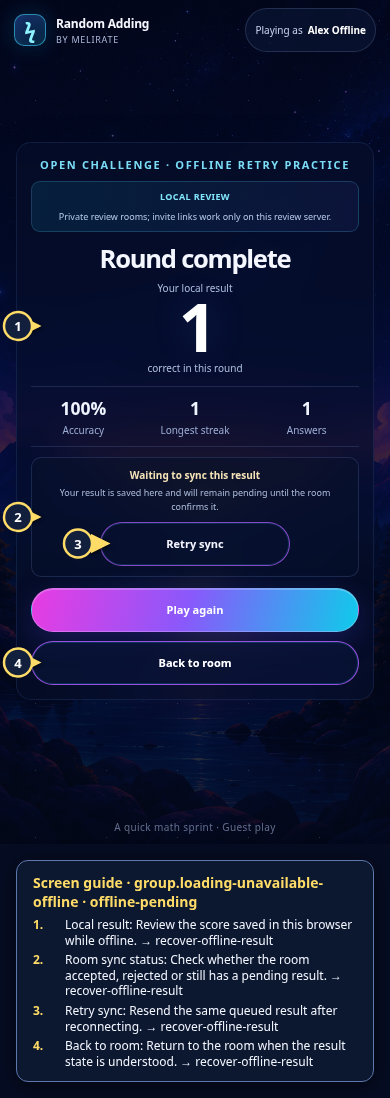 View full-size original annotated screen (new tab)
What the numbered markers show
- 1Local resultReview the score saved in this browser while offline.Open guide: Recover an offline or unsaved result
- 2Room sync statusCheck whether the room accepted, rejected or still has a pending result.Open guide: Recover an offline or unsaved result
- 3Retry syncResend the same queued result after reconnecting.Open guide: Recover an offline or unsaved result
- 4Back to roomReturn to the room when the result state is understood.Open guide: Recover an offline or unsaved result
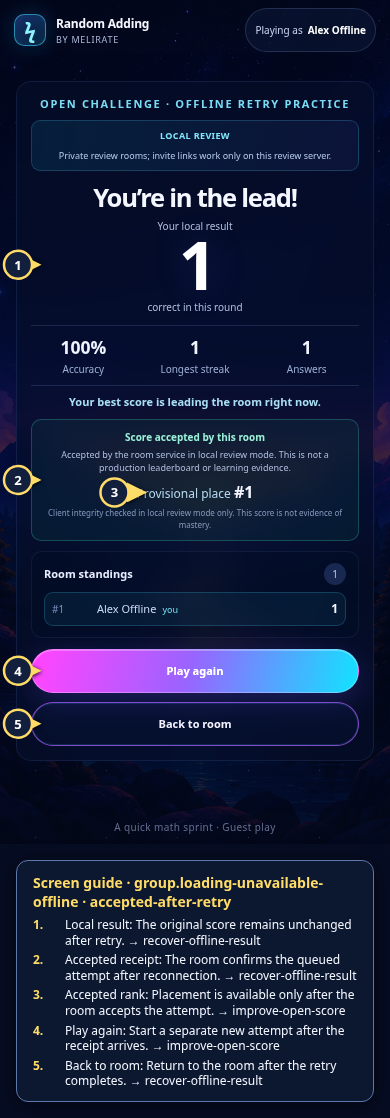 View full-size original annotated screen (new tab)
What the numbered markers show
- 1Local resultThe original score remains unchanged after retry.Open guide: Recover an offline or unsaved result
- 2Accepted receiptThe room confirms the queued attempt after reconnection.Open guide: Recover an offline or unsaved result
- 3Accepted rankPlacement is available only after the room accepts the attempt.Open guide: Play again and improve an Open Challenge score
- 4Play againStart a separate new attempt after the receipt arrives.Open guide: Play again and improve an Open Challenge score
- 5Back to roomReturn to the room after the retry completes.Open guide: Recover an offline or unsaved result
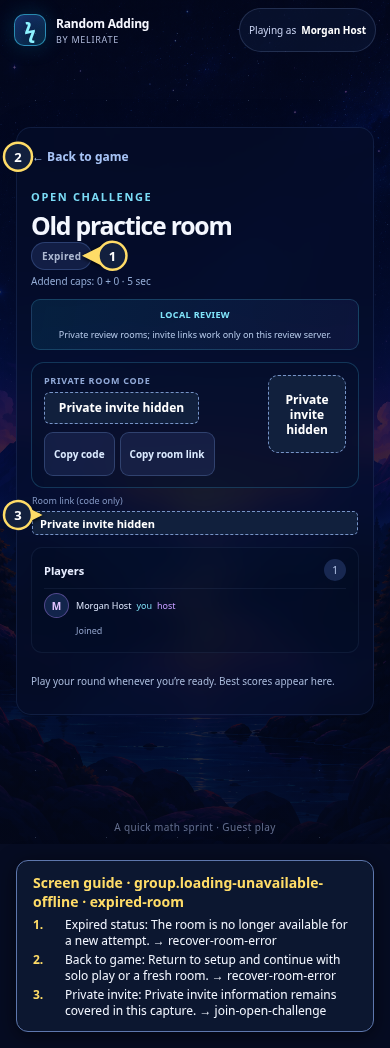 View full-size original annotated screen (new tab)
What the numbered markers show
- 1Expired statusThe room is no longer available for a new attempt.Open guide: Recover an unavailable, expired, or interrupted room
- 2Back to gameReturn to setup and continue with solo play or a fresh room.Open guide: Recover an unavailable, expired, or interrupted room
- 3Private invitePrivate invite information remains covered in this capture.Open guide: Join an Open Challenge
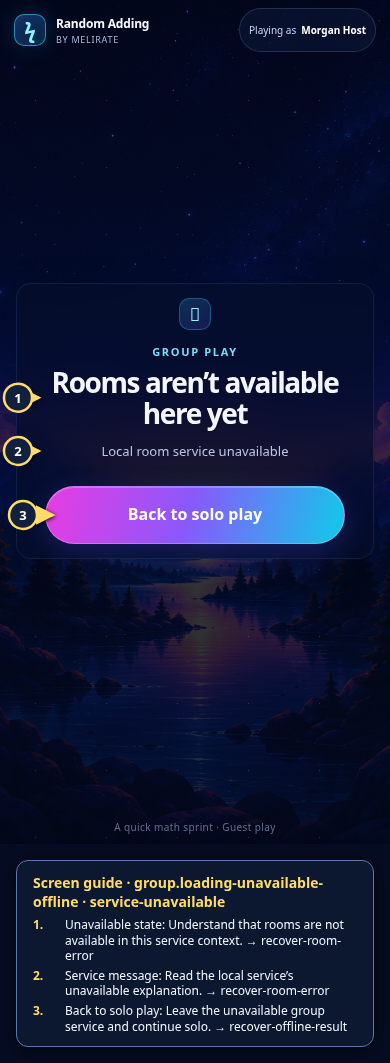 View full-size original annotated screen (new tab)
What the numbered markers show
- 1Unavailable stateUnderstand that rooms are not available in this service context.Open guide: Recover an unavailable, expired, or interrupted room
- 2Service messageRead the local service’s unavailable explanation.Open guide: Recover an unavailable, expired, or interrupted room
- 3Back to solo playLeave the unavailable group service and continue solo.Open guide: Recover an offline or unsaved result