Live Race
Leave and return to a Live Race
Leave the countdown or gameplay view while the shared race continues, then return before the deadline if you want to resume.
Before you start
- Be in a Live Race countdown or active round. Leaving the view does not leave the room or pause its clock.
Steps
Choose Leave race view
In the countdown or active game, choose Leave race view to open the confirmation sheet.
Open the Live Race: countdown guideConfirm or stay
Choose Stay in race to close the sheet without leaving. Choose Leave race view to return to the room; the shared countdown or deadline continues.
Open the Live Race: active player and late spectator guideReturn before the deadline
Use Return to race from the room. A still-running attempt resumes with the saved answer prefix and original deadline.
Open the Live Race: active player and late spectator guideAfter the deadline
The room waits for finalization. You cannot extend the clock by leaving, refreshing, or returning later.
Open the Live Race: provisional result guide
What to expect
- The confirmation states that leaving does not pause or submit the shared round.
- An explicit host end cancels the race; a host disconnect alone does not.
Other paths
Reconnect after refresh
Resume an active attempt before the same race deadline.
Open guide: Reconnect to a Live RaceReview how a host end works
See the cancelled race and result behavior.
Open guide: Moderate or end a room
Visual guide
Recorded walkthrough
These are silent local synthetic preview captures. Account clips and screenshots show the unconfigured guest preview, not the locally prepared member flow. Some demos use 5-, 15-, or 20-second timers; private invitation details are hidden. If playback is unavailable, use the captions when present or read the full transcript below.
Read the full recording transcript
Synthetic local review: this 20-second race shows how to leave the view while its shared clock keeps running.
After one answer, Leave opens a confirmation that explains the shared timer will not pause.
Stay closes the sheet. The one-answer prefix remains in the same attempt.
Confirmed Leave returns to the room. The original deadline is unchanged while the host continues.
Return to race restores the same attempt and one-answer prefix before the original deadline.
This capture is a local review preview with synthetic players.
Annotated screens
Each numbered note names the control or state marked on the screen.
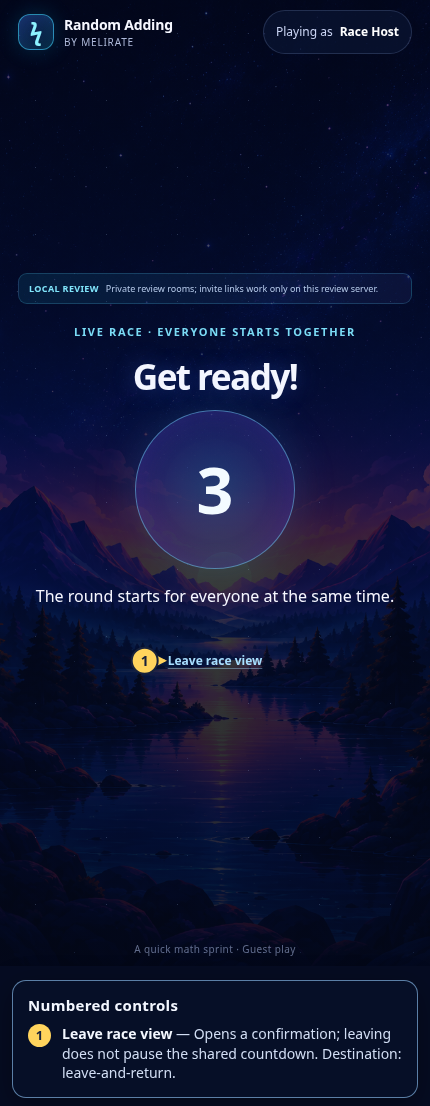 View full-size original annotated screen (new tab)
What the numbered markers show
- 1Leave race viewOpens a confirmation; leaving does not pause the shared countdown.Open guide: Leave and return to a Live Race
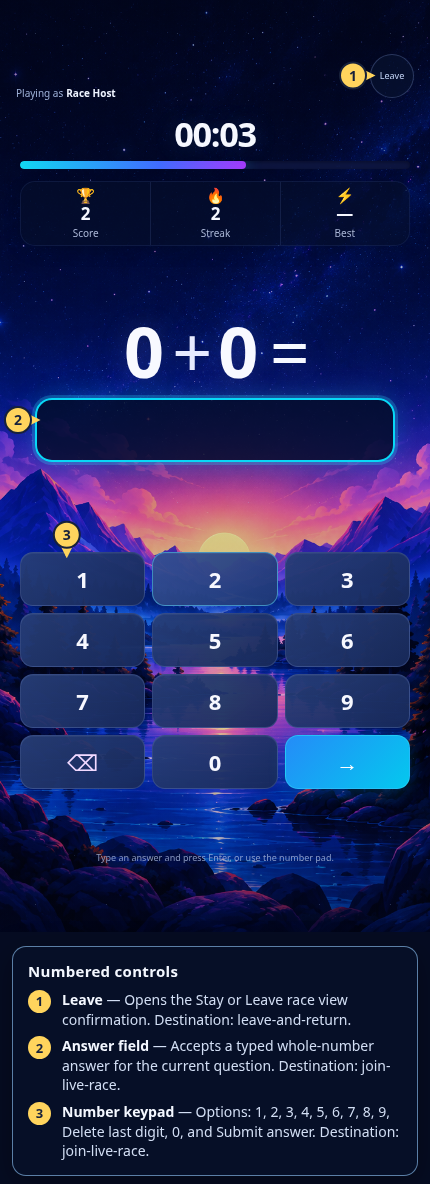 View full-size original annotated screen (new tab)
What the numbered markers show
- 1LeaveOpens the Stay or Leave race view confirmation.Open guide: Leave and return to a Live Race
- 2Answer fieldAccepts a typed whole-number answer for the current question.Open guide: Join a Live Race
- 3Number keypadOptions: 1, 2, 3, 4, 5, 6, 7, 8, 9, Delete last digit, 0, and Submit answer.Open guide: Join a Live Race
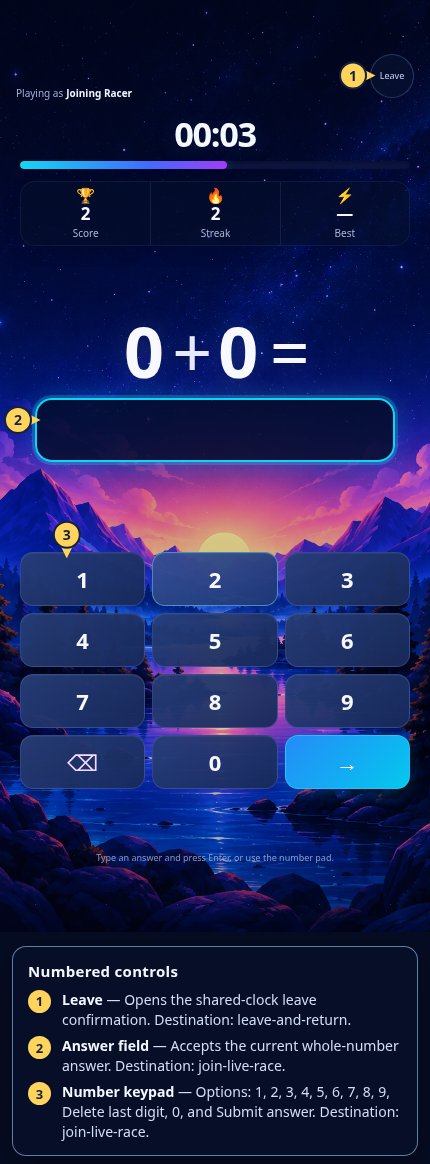 View full-size original annotated screen (new tab)
What the numbered markers show
- 1LeaveOpens the shared-clock leave confirmation.Open guide: Leave and return to a Live Race
- 2Answer fieldAccepts the current whole-number answer.Open guide: Join a Live Race
- 3Number keypadOptions: 1, 2, 3, 4, 5, 6, 7, 8, 9, Delete last digit, 0, and Submit answer.Open guide: Join a Live Race
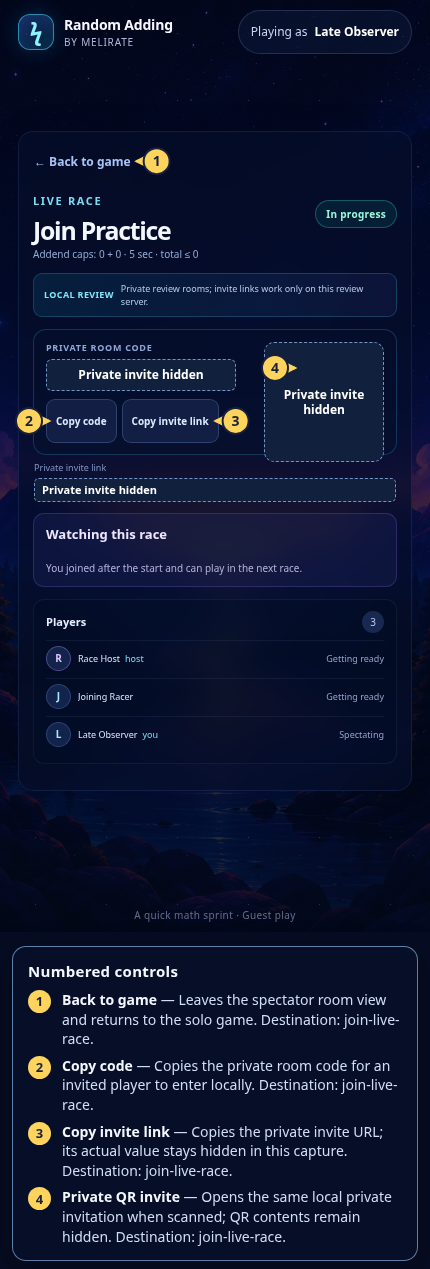 View full-size original annotated screen (new tab)
What the numbered markers show
- 1Back to gameLeaves the spectator room view and returns to the solo game.Open guide: Join a Live Race
- 2Copy codeCopies the private room code for an invited player to enter locally.Open guide: Join a Live Race
- 3Copy invite linkCopies the private invite URL; its actual value stays hidden in this capture.Open guide: Join a Live Race
- 4Private QR inviteOpens the same local private invitation when scanned; QR contents remain hidden.Open guide: Join a Live Race
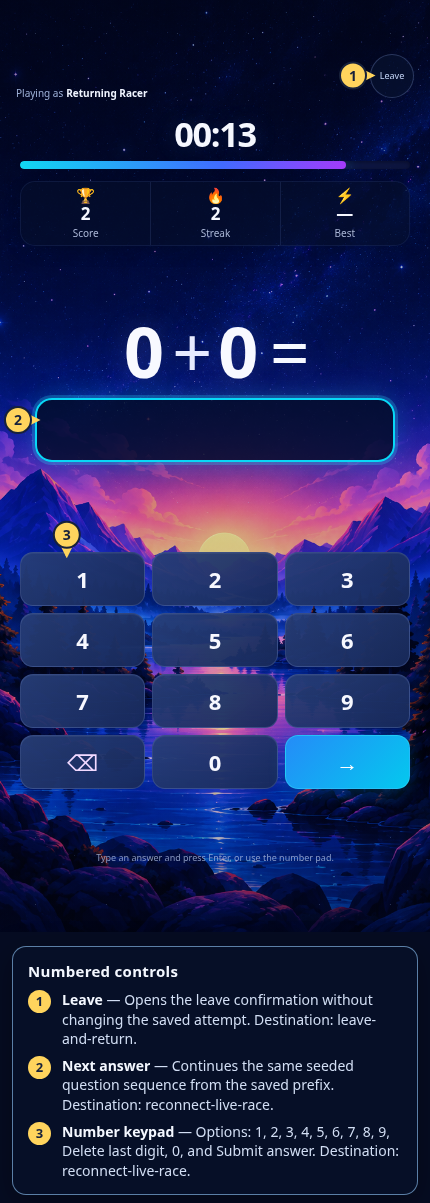 View full-size original annotated screen (new tab)
What the numbered markers show
- 1LeaveOpens the leave confirmation without changing the saved attempt.Open guide: Leave and return to a Live Race
- 2Next answerContinues the same seeded question sequence from the saved prefix.Open guide: Reconnect to a Live Race
- 3Number keypadOptions: 1, 2, 3, 4, 5, 6, 7, 8, 9, Delete last digit, 0, and Submit answer.Open guide: Reconnect to a Live Race
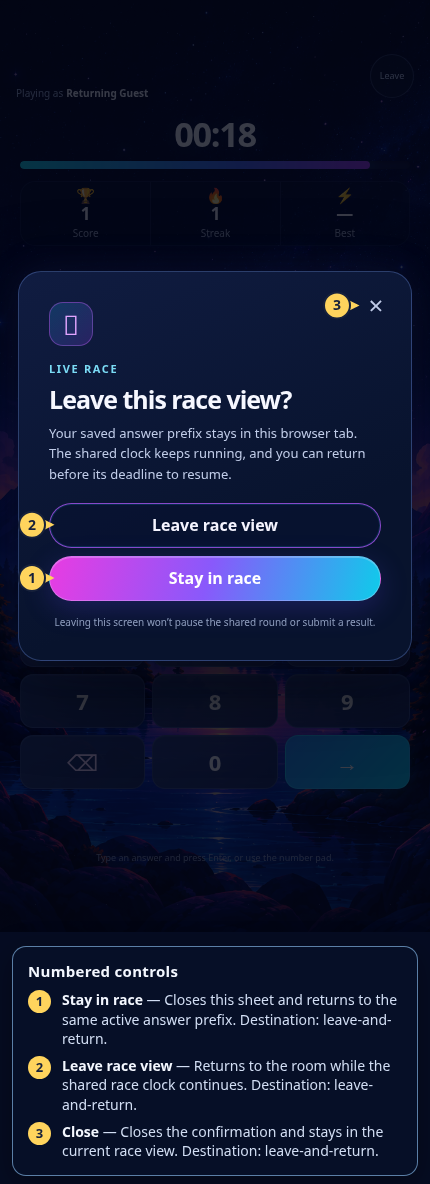 View full-size original annotated screen (new tab)
What the numbered markers show
- 1Stay in raceCloses this sheet and returns to the same active answer prefix.Open guide: Leave and return to a Live Race
- 2Leave race viewReturns to the room while the shared race clock continues.Open guide: Leave and return to a Live Race
- 3CloseCloses the confirmation and stays in the current race view.Open guide: Leave and return to a Live Race
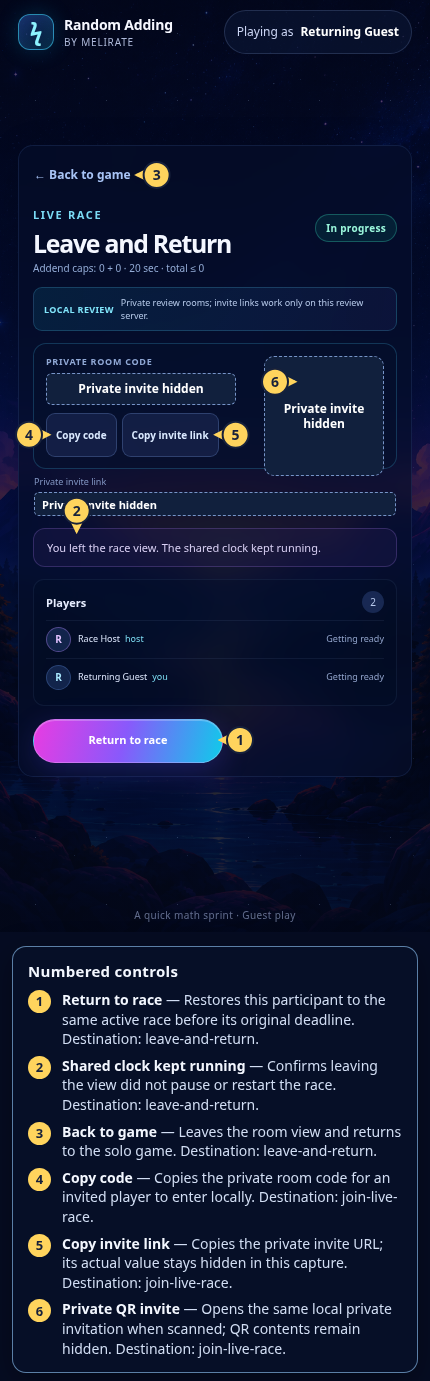 View full-size original annotated screen (new tab)
What the numbered markers show
- 1Return to raceRestores this participant to the same active race before its original deadline.Open guide: Leave and return to a Live Race
- 2Shared clock kept runningConfirms leaving the view did not pause or restart the race.Open guide: Leave and return to a Live Race
- 3Back to gameLeaves the room view and returns to the solo game.Open guide: Leave and return to a Live Race
- 4Copy codeCopies the private room code for an invited player to enter locally.Open guide: Join a Live Race
- 5Copy invite linkCopies the private invite URL; its actual value stays hidden in this capture.Open guide: Join a Live Race
- 6Private QR inviteOpens the same local private invitation when scanned; QR contents remain hidden.Open guide: Join a Live Race
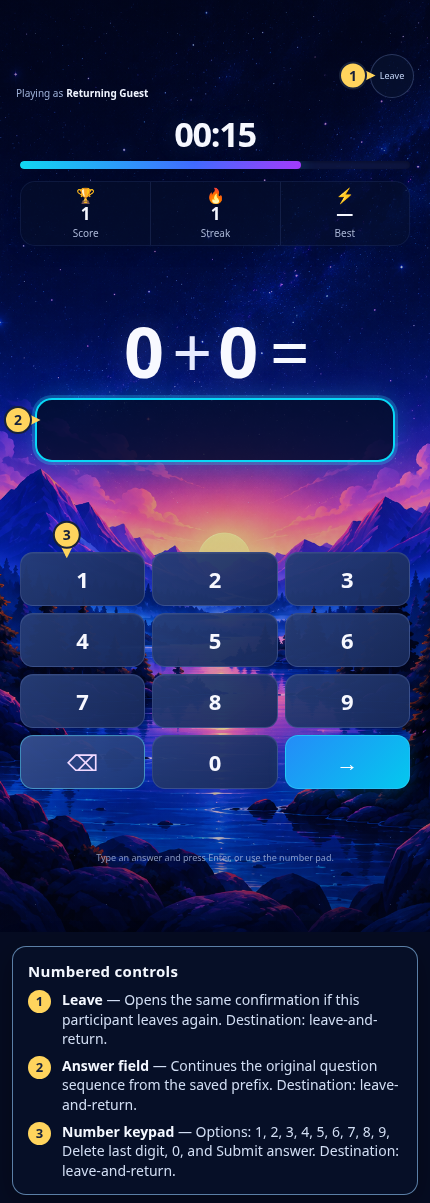 View full-size original annotated screen (new tab)
What the numbered markers show
- 1LeaveOpens the same confirmation if this participant leaves again.Open guide: Leave and return to a Live Race
- 2Answer fieldContinues the original question sequence from the saved prefix.Open guide: Leave and return to a Live Race
- 3Number keypadOptions: 1, 2, 3, 4, 5, 6, 7, 8, 9, Delete last digit, 0, and Submit answer.Open guide: Leave and return to a Live Race
 View full-size original annotated screen (new tab)
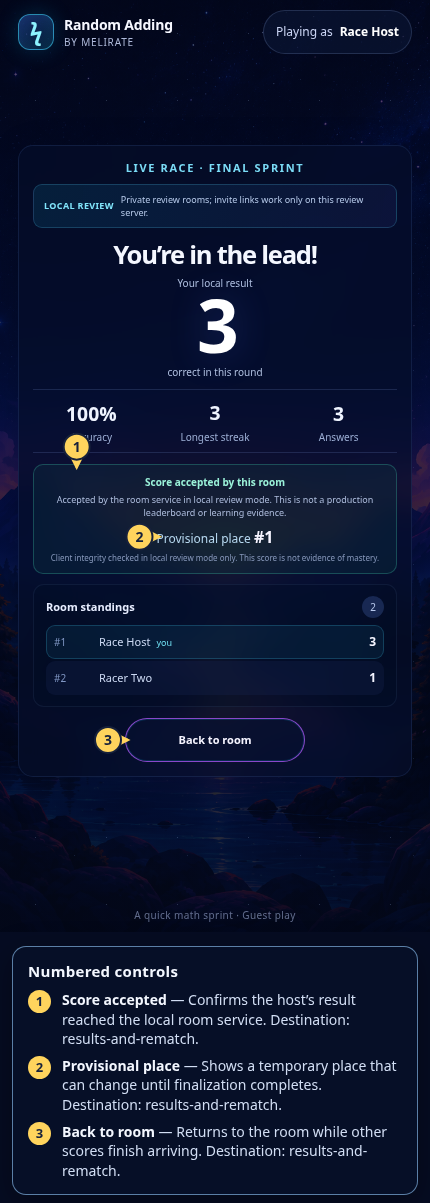
What the numbered markers show
- 1Score acceptedConfirms the host’s result reached the local room service.Open guide: Read group results and rematch
- 2Provisional placeShows a temporary place that can change until finalization completes.Open guide: Read group results and rematch
- 3Back to roomReturns to the room while other scores finish arriving.Open guide: Read group results and rematch
 View full-size original annotated screen (new tab)
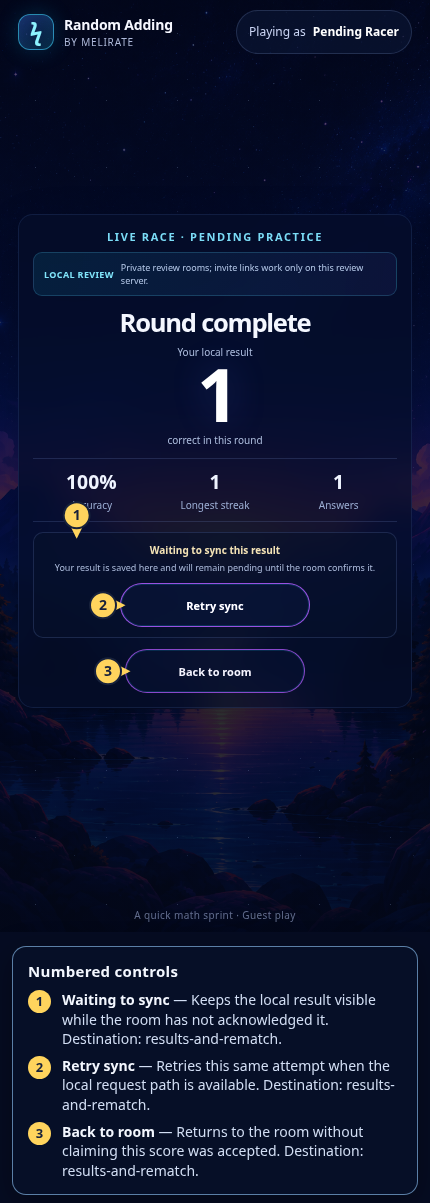
What the numbered markers show
- 1Waiting to syncKeeps the local result visible while the room has not acknowledged it.Open guide: Read group results and rematch
- 2Retry syncRetries this same attempt when the local request path is available.Open guide: Read group results and rematch
- 3Back to roomReturns to the room without claiming this score was accepted.Open guide: Read group results and rematch
 View full-size original annotated screen (new tab)
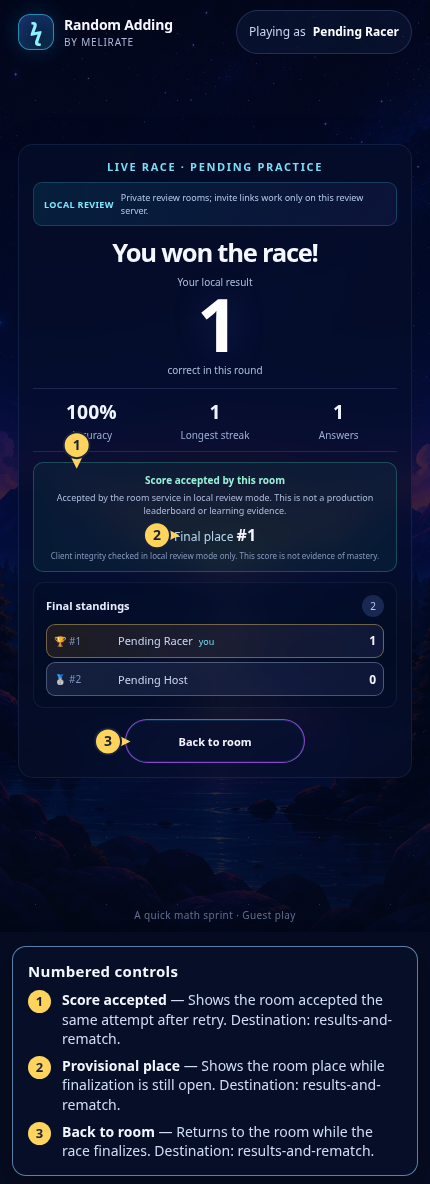
What the numbered markers show
- 1Score acceptedShows the room accepted the same attempt after retry.Open guide: Read group results and rematch
- 2Provisional placeShows the room place while finalization is still open.Open guide: Read group results and rematch
- 3Back to roomReturns to the room while the race finalizes.Open guide: Read group results and rematch