Open Challenge
Open Challenge: standings and lifecycle
Read best accepted scores, shared-place ties, room status, and host-only end controls.
Before you start
- Join an Open Challenge; standings appear after valid room submissions.
Steps
Read the best-score list
The room keeps one best accepted attempt per participant. Equal scores share a place.
Open the Open Challenge: standings and lifecycle guideCheck room status
Active rooms may still change as participants join or improve. The host can end the challenge to freeze standings.
Open the Open Challenge: standings and lifecycle guide
What to expect
- An ended challenge does not accept later attempts; create a new room to play another group session.
Other paths
Improve a score
Replay and understand result context.
Open guide: Play again and improve an Open Challenge scoreModerate or end
See host-only controls.
Open guide: Moderate or end a room
Visual guide
Annotated screens
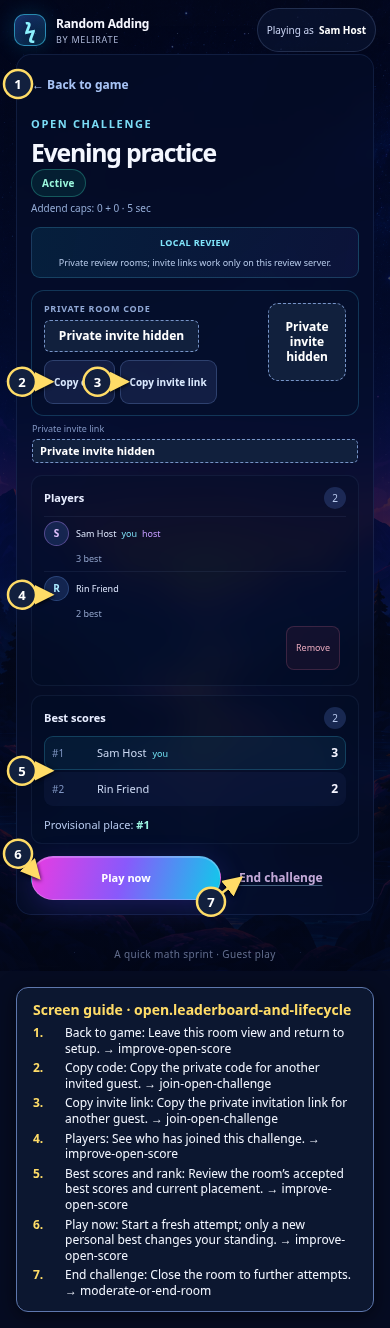
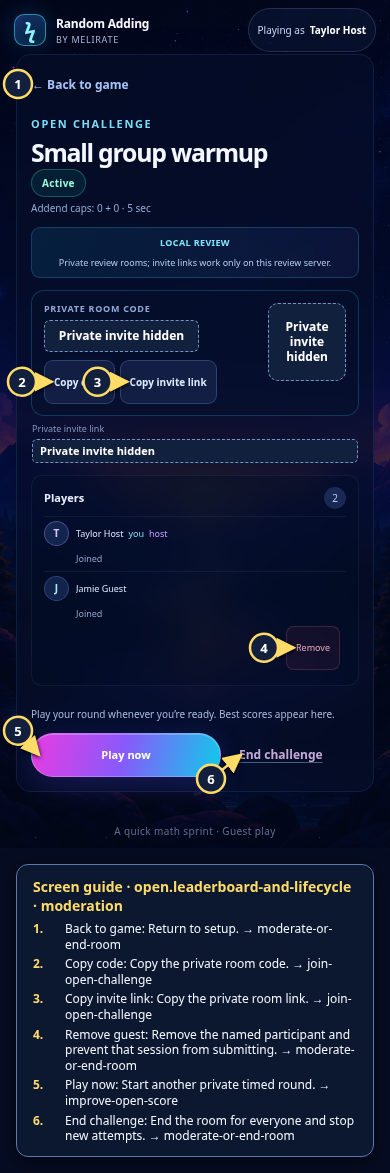
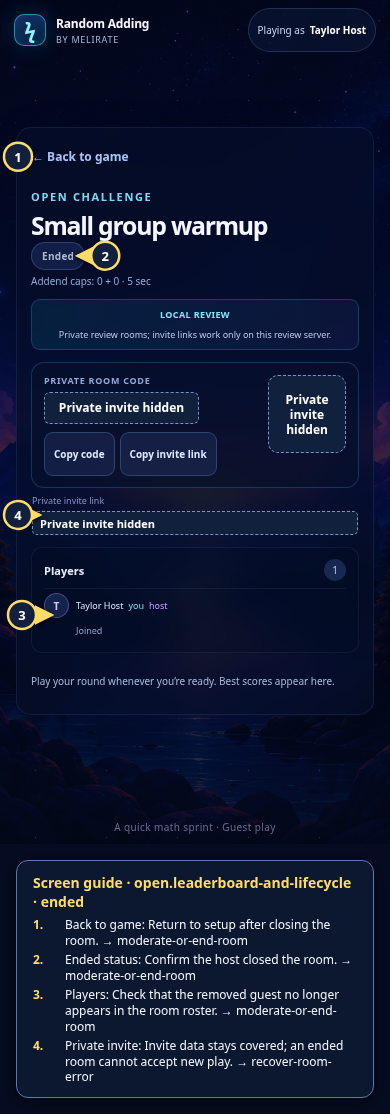
Each numbered note names the control or state marked on the screen.
 View full-size original annotated screen (new tab)
What the numbered markers show
- 1Back to gameLeave this room view and return to setup.Open guide: Play again and improve an Open Challenge score
- 2Copy codeCopy the private code for another invited guest.Open guide: Join an Open Challenge
- 3Copy invite linkCopy the private invitation link for another guest.Open guide: Join an Open Challenge
- 4PlayersSee who has joined this challenge.Open guide: Play again and improve an Open Challenge score
- 5Best scores and rankReview the room’s accepted best scores and current placement.Open guide: Play again and improve an Open Challenge score
- 6Play nowStart a fresh attempt; only a new personal best changes your standing.Open guide: Play again and improve an Open Challenge score
- 7End challengeClose the room to further attempts.Open guide: Moderate or end a room
 View full-size original annotated screen (new tab)
What the numbered markers show
- 1Back to gameReturn to setup.Open guide: Moderate or end a room
- 2Copy codeCopy the private room code.Open guide: Join an Open Challenge
- 3Copy invite linkCopy the private room link.Open guide: Join an Open Challenge
- 4Remove guestRemove the named participant and prevent that session from submitting.Open guide: Moderate or end a room
- 5Play nowStart another private timed round.Open guide: Play again and improve an Open Challenge score
- 6End challengeEnd the room for everyone and stop new attempts.Open guide: Moderate or end a room
 View full-size original annotated screen (new tab)
What the numbered markers show
- 1Back to gameReturn to setup after closing the room.Open guide: Moderate or end a room
- 2Ended statusConfirm the host closed the room.Open guide: Moderate or end a room
- 3PlayersCheck that the removed guest no longer appears in the room roster.Open guide: Moderate or end a room
- 4Private inviteInvite data stays covered; an ended room cannot accept new play.Open guide: Recover an unavailable, expired, or interrupted room