Account access
Account access: sign-in status
The current hosted preview reports sign-in unavailable; a member-enabled build starts an explicit Home handoff only after its backend check succeeds.
Before you start
- The deployed preview is still unconfigured for member access. The locally prepared member path is pending separate activation.
Steps
Check the actual status
Choose Sign in from setup or Account. Random Adding checks the identity service before redirecting. Missing or unavailable service leaves you in the app with a truthful message; it does not send you to Home.
Use Home only when the service is enabled
If the configured service reports a guest session, Sign in with Melirate starts a one-time handoff to the approved Home sign-in page. Credentials stay at Home. A cancelled or failed handoff does not create a member session.
Keep guest play available
Continue as guest returns to local practice without an account request. The saved sign-in screenshot and recording show the earlier unconfigured guest preview, not the member-enabled handoff.
What to expect
- The currently deployed preview remains guest-only until member activation and hosted acceptance are complete.
Other paths
Read the full account flow
Follow the conditional member path and its availability limits.
Open guide: Sign in and choose a learnerPlay as a guest
Start a local solo round.
Open guide: Play a solo round
Visual guide
Annotated screens
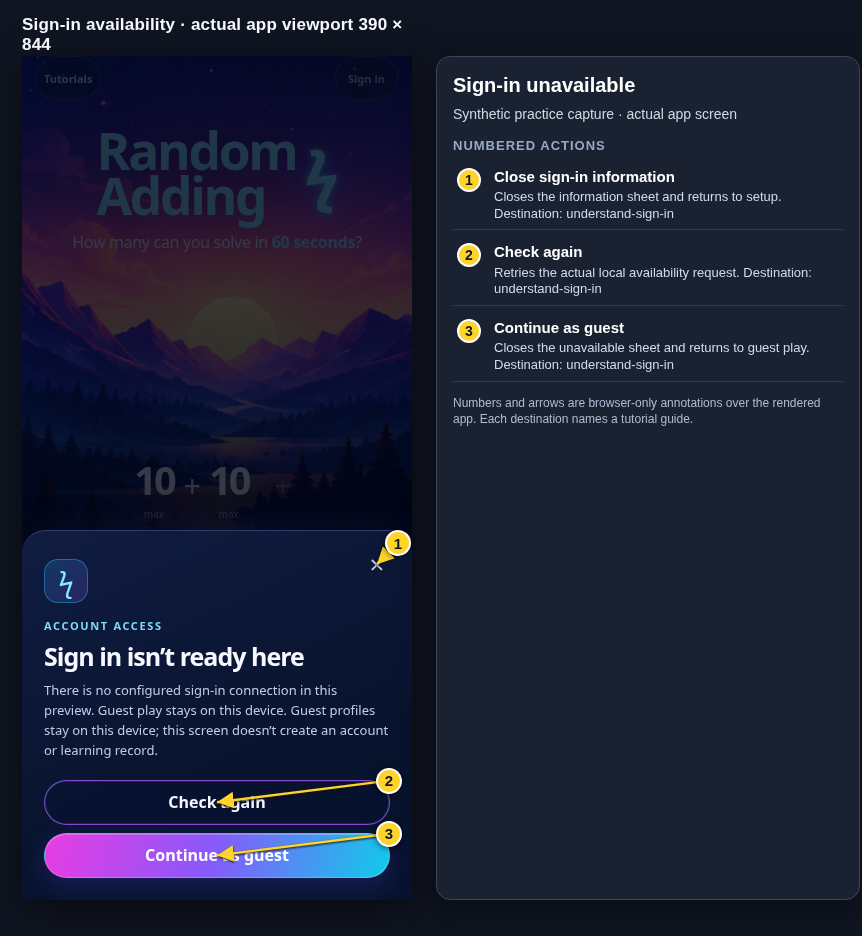
Each numbered note names the control or state marked on the screen.
 View full-size original annotated screen (new tab)
What the numbered markers show
- 1Close sign-in informationCloses the information sheet and returns to setup.Open guide: Sign in and choose a learner
- 2Check againRetries the actual local availability request.Open guide: Sign in and choose a learner
- 3Continue as guestCloses the unavailable sheet and returns to guest play.Open guide: Sign in and choose a learner
 View full-size original annotated screen (new tab)
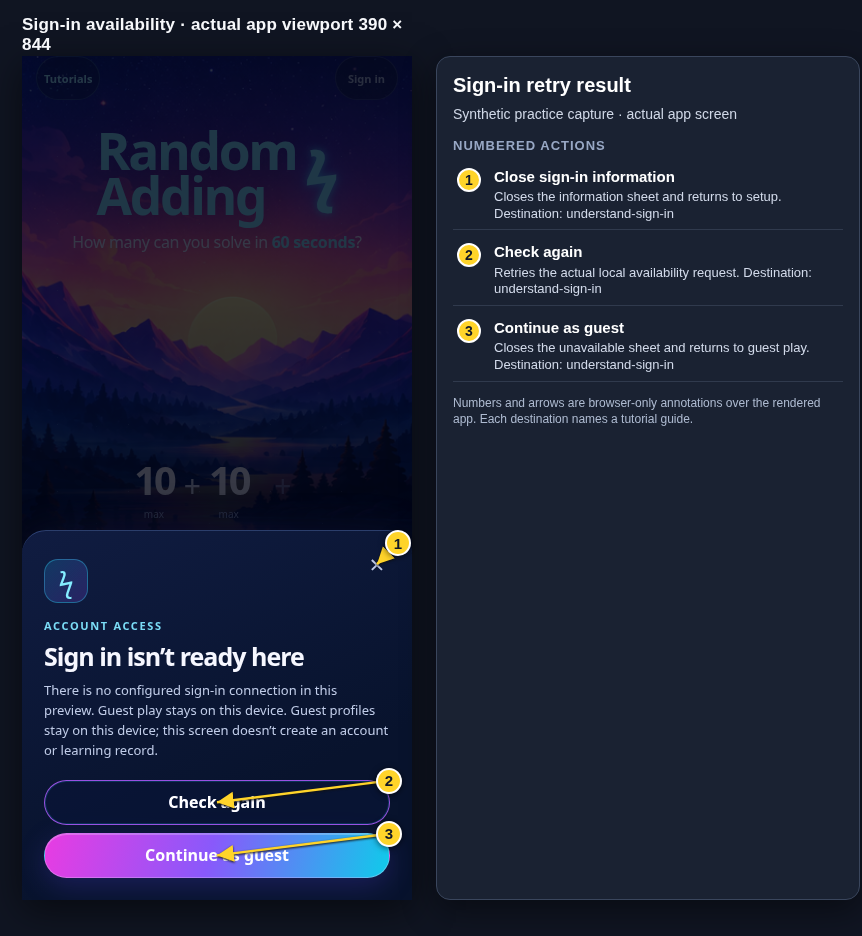
What the numbered markers show
- 1Close sign-in informationCloses the information sheet and returns to setup.Open guide: Sign in and choose a learner
- 2Check againRetries the actual local availability request.Open guide: Sign in and choose a learner
- 3Continue as guestCloses the unavailable sheet and returns to guest play.Open guide: Sign in and choose a learner